
Try Wan 2.7 Image Online
Wan 2.7 Image gives you stronger face control, palette matching, readable long text, and fast point-to-point image editing in one online workflow.

Wan 2.7 Image Generator
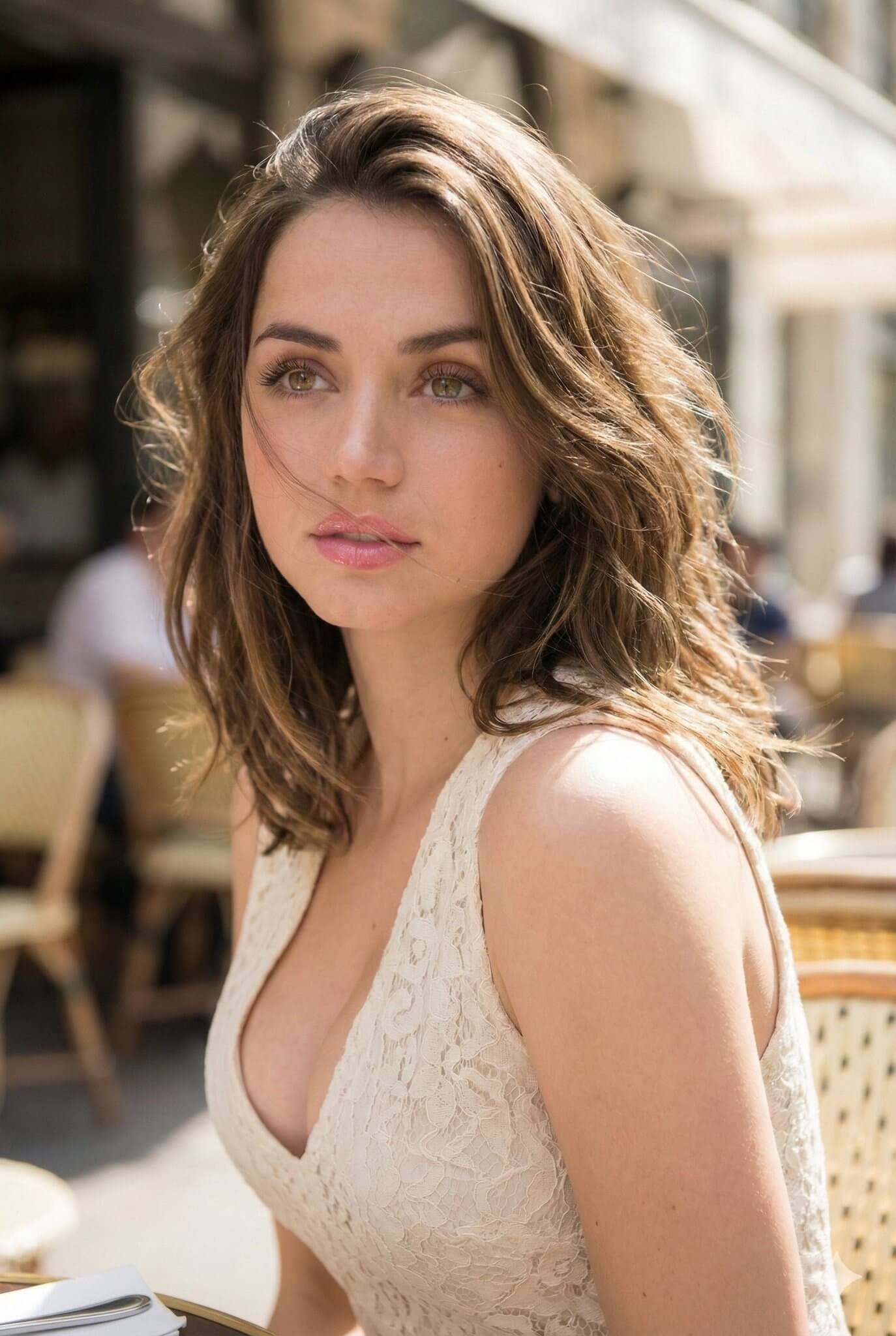
Wan 2.7 Image Showcase
These Wan 2.7 Image examples highlight the types of outputs people care about most: portraits, product sets, color control, and text-heavy layouts.
Wan 2.7 Image - Portrait Facial Control
A portrait test with more individual face structure and cleaner skin detail.
Wan 2.7 Image - Brand Palette Matching
A color transfer example built from a reference palette rather than manual recoloring.
Wan 2.7 Image - Print-Ready Text Layout
A document-style image with labels, bullets, and small text arranged more clearly.
Wan 2.7 Image - Product Lifestyle Series
A coordinated batch that keeps product styling and overall tone closer across several scenes.
Wan 2.7 Image - Consistent Comic Frames
A character sequence aimed at keeping the same look through a short visual story.
Wan 2.7 Image - Interactive Edit Pass
A local revision pass where one selected area changes without remaking the full image.
Why Teams Use Wan 2.7 Image
Wan 2.7 Image is less about one pretty sample and more about reliable control for design, e-commerce, brand, and editorial work.
Face Control That Avoids the Same AI Look
Guide face shape, eye depth, and structure so portraits feel specific, believable, and useful for character or brand work.
Palette Matching From Real References
Pull tones from a brand board, painting, or product shot and keep the new output closer to the intended visual system.
Readable Text in Dense Layouts
Generate labels, tables, formulas, captions, and document-style layouts with clearer small text than older image models.
Consistent Sets With Faster Revisions
Use multiple references, batch output, and local edits to keep product sets, comics, or campaign assets visually aligned.
Key Wan 2.7 Image Features
The appeal of Wan 2.7 Image is practical control: faces, colors, text, consistency, and edits that fit real production loops.
Precise Portrait Control
Shape facial structure, face length, eyes, and skin detail with prompt control that feels more deliberate and less random.
Hex-Based Palette Transfer
Match tones from references and keep composition stable when you need brand-safe colors or a repeatable visual mood.
Long Text Rendering
Handle charts, formulas, labels, captions, and multilingual layout blocks with clearer small text inside the image.
Up to 9 Reference Images
Use more reference inputs when a product, character, or art style must stay coherent across a complete set of outputs.
Batch Output Up to 12 Images
Generate multiple related images at once for product scenes, social variants, comic panels, or campaign asset packs.
Interactive Local Editing
Select one area, describe the change, and revise that section without rebuilding the whole image from scratch.
How to Use Wan 2.7 Image
Start with a Wan 2.7 Image idea, set the image options you need, and download polished results a few moments later.
Enter a Prompt or Upload a Reference
Describe the image you want, or upload reference images so Wan 2.7 Image understands subject, style, layout, and color.
Choose Parameters
Set aspect ratio, background, quality, and image count so Wan 2.7 Image output fits your page, ad set, product card, or storyboard.
Generate and Download
Click generate, let Wan 2.7 Image render the result, then download high-resolution output or refine one region with a follow-up edit instruction.
What Creators Notice First
Early Wan 2.7 Image users mostly talk about one thing: the output feels easier to steer toward usable commercial or editorial results.
Jordan Vance
“Wan 2.7 Image portraits stop looking like generic AI faces and start feeling cast for a specific campaign.”
David Park
“Nine references are enough for me to hold a character look through a short storyboard sequence.”
Tom Eriksen
“Comic panels stay coherent enough that I can pitch the sequence before moving into manual polish.”
Jordan Vance
“Wan 2.7 Image portraits stop looking like generic AI faces and start feeling cast for a specific campaign.”
David Park
“Nine references are enough for me to hold a character look through a short storyboard sequence.”
Tom Eriksen
“Comic panels stay coherent enough that I can pitch the sequence before moving into manual polish.”
Linda Wu
“Wan 2.7 Image palette transfer finally makes it realistic to keep a whole promo set inside one brand system.”
Emma Zhang
“Local editing saves revision time because I can fix one detail instead of re-prompting the whole scene.”
Mei Tanaka
“Wan 2.7 Image gives me cleaner revisions because the change can stay local instead of breaking the whole style.”
Linda Wu
“Wan 2.7 Image palette transfer finally makes it realistic to keep a whole promo set inside one brand system.”
Emma Zhang
“Local editing saves revision time because I can fix one detail instead of re-prompting the whole scene.”
Mei Tanaka
“Wan 2.7 Image gives me cleaner revisions because the change can stay local instead of breaking the whole style.”
Wan 2.7 Image Plans
Choose monthly, yearly, or one-time Wan 2.7 Image credits for testing, client work, batch production, and steady image creation.
Starter
Included
- 9,600 Credits / year
- Hosted image generator
- Text to image and image editing
- Up to 9 references
- Batch image downloads
- Commercial use
- Customer support
Premium
Included
- 24,000 Credits / year
- Hosted image generator
- Text to image and image editing
- Up to 9 references
- Batch image downloads
- Priority Queue
- Commercial use
- Priority customer support
Advanced
Included
- 72,000 Credits / year
- Hosted image generator
- Text to image and image editing
- Up to 9 references
- Batch image downloads
- Priority Queue
- Fastest generation speed
- Commercial use
- Expert team support
Wan 2.7 Image FAQ
These Wan 2.7 Image answers cover features, release timing, keyword variants, and the practical limits people ask about before testing the model.
Wan 2.7 Image is a new image generation and editing model from the Wan ecosystem that started appearing publicly around late March 2026, with early testing continuing into April 2026.
The image model surfaced at the end of March 2026, and many public reviews and hands-on posts appeared on April 1, 2026.
Most tools are strongest at one attractive image, while Wan 2.7 Image is being noticed for face control, palette precision, readable text, multi-image consistency, and local editing in one workflow.
Yes, Wan 2.7 Image long text rendering is one of the main reasons people test it, especially for specification sheets, tables, labels, captions, and document-like layouts.
Current public descriptions commonly mention up to 9 reference images and up to 12 generated images in a single batch.
Yes, early testers highlight point-and-instruct editing because it lets you adjust one region instead of rebuilding the full composition.
It supports both Chinese and English prompts, but complex edit instructions are often reported as more stable in English during early testing.
Yes, Wan 2.7 Image is the same release family people also describe as wan2.7 image, wan2.7-image, wan image 2.7, or wan 2.7-image.
You can use it on wan27image.net, which gives you a web-based way to test prompting, references, and downloads without presenting itself as the official model owner.
If you are searching for Wan 2.7 Image download or Wan 2.7 Image github, check the latest model hubs and release channels, while Wan 2.7 Image focuses on hosted online access rather than claiming official distribution.
Wan 2.7 Image reddit threads and similar forum posts usually focus on face realism, color transfer, long text clarity, and whether editing follows instructions cleanly.
Curved or non-flat text can still distort, and some aggressive edits may overshoot the request, so detailed review is still necessary before final delivery.
Start Creating with Wan 2.7 Image
Create, revise, and download images with Wan 2.7 Image in one browser workflow built for creators who need more control than luck.